StreamsMonitor
StreamsMonitor enables to monitor IPTV streams.
Monitor video quality, audio quality, loudness, TR 101 290, SCTE-35, audio/video signal loss and more...
Supports UDP, RTP and HLS (for other protocols: contact us!)
Available in English, French, German, Spanish, Italian, Dutch, Portuguese, Indonesian, Arabic, Urdu, Hindi, Bengali, Japanese, Simplified Chinese and Korean.

Click this blue button to download the installation file of StreamsMonitor v1.9 (Windows, 64-bit, 91.3 MB).
Click this blue button to download the installation file of StreamsMonitor v1.9 (Linux, 64-bit, 1.90 MB).
StreamsMonitor is available in two versions: Free and Paid. The Free version has the following limitations:
- a window appears when you start the software
- the software exits after 5 minutes of use
- you cannot export a Transport Stream structure in TXT or XML format
- you must wait 5 minutes before your can run StreamsMonitor again
To purchase a license, click the "Purchase with Paypal" button below:
StreamsMonitor is a powerful and flexible tool to monitor your IP streams.
StreamsMonitor enables to:
- detect problems like audio or video signal loss, black frames, blue/green/red frames, frozen image
- measure perceived video quality
- measure perceived audio quality
- measure audio loudness according to EBU R128 standards
- detect TR 101 290 errors on MPEG-2 Transport Streams
- detect SCTE-35 markers errors (ad break too short or too long, for example)
- and more...
All detection thresholds are user-defined and can be different for each stream.
Getting started with StreamsMonitor
StreamsMonitor offers the following windows :
- Services: the list of IP sources you are connected to. You can use several sources which use different streaming protocols.
- Streams: the list list of streams received from all your Services
- Programs: the list of programs (generally: TV channels) with the streams which belong to each program
- Errors: the list of detected errors
Double-click on any stream or program and you will see it in real time!
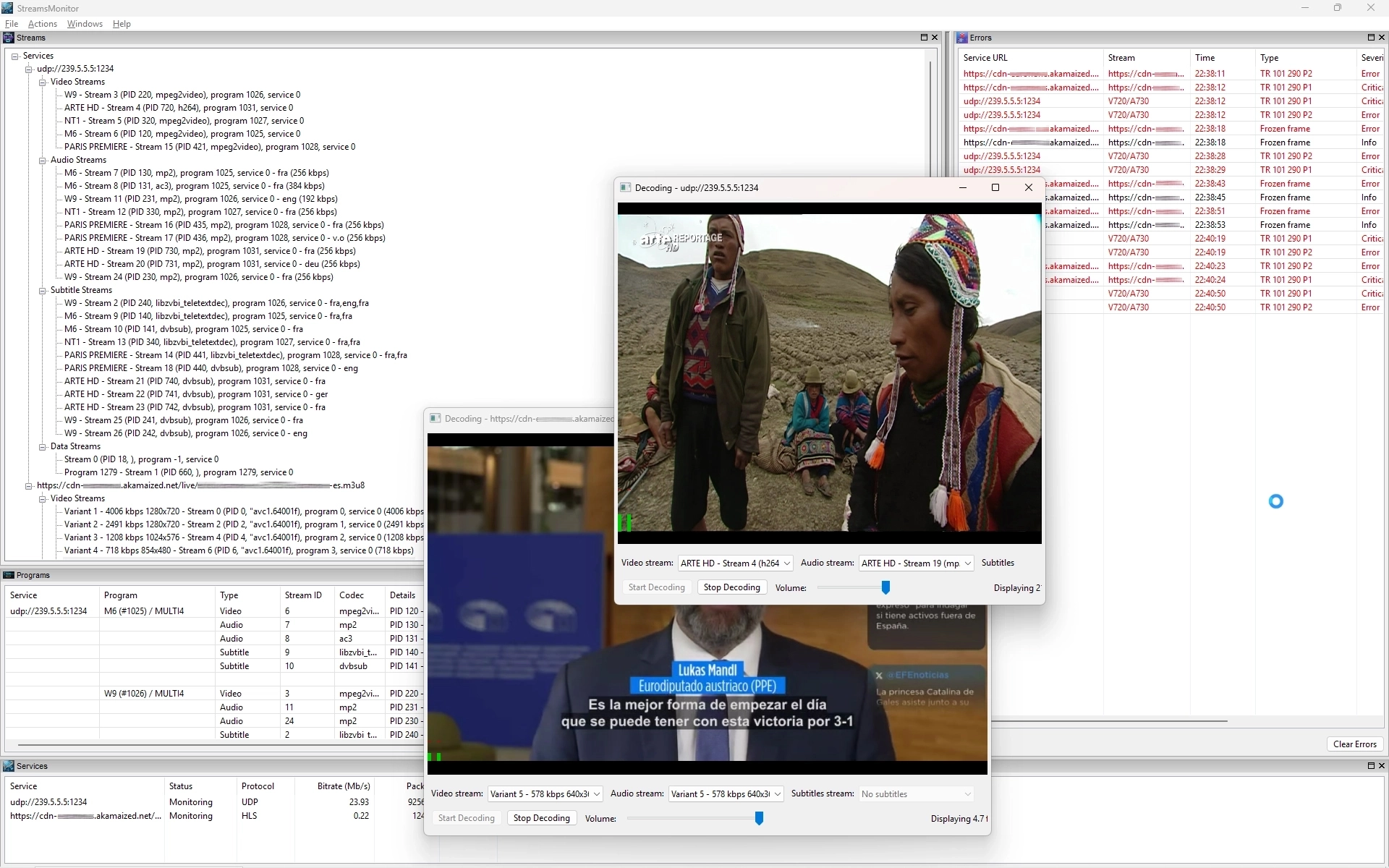
Watch all your streams in a click
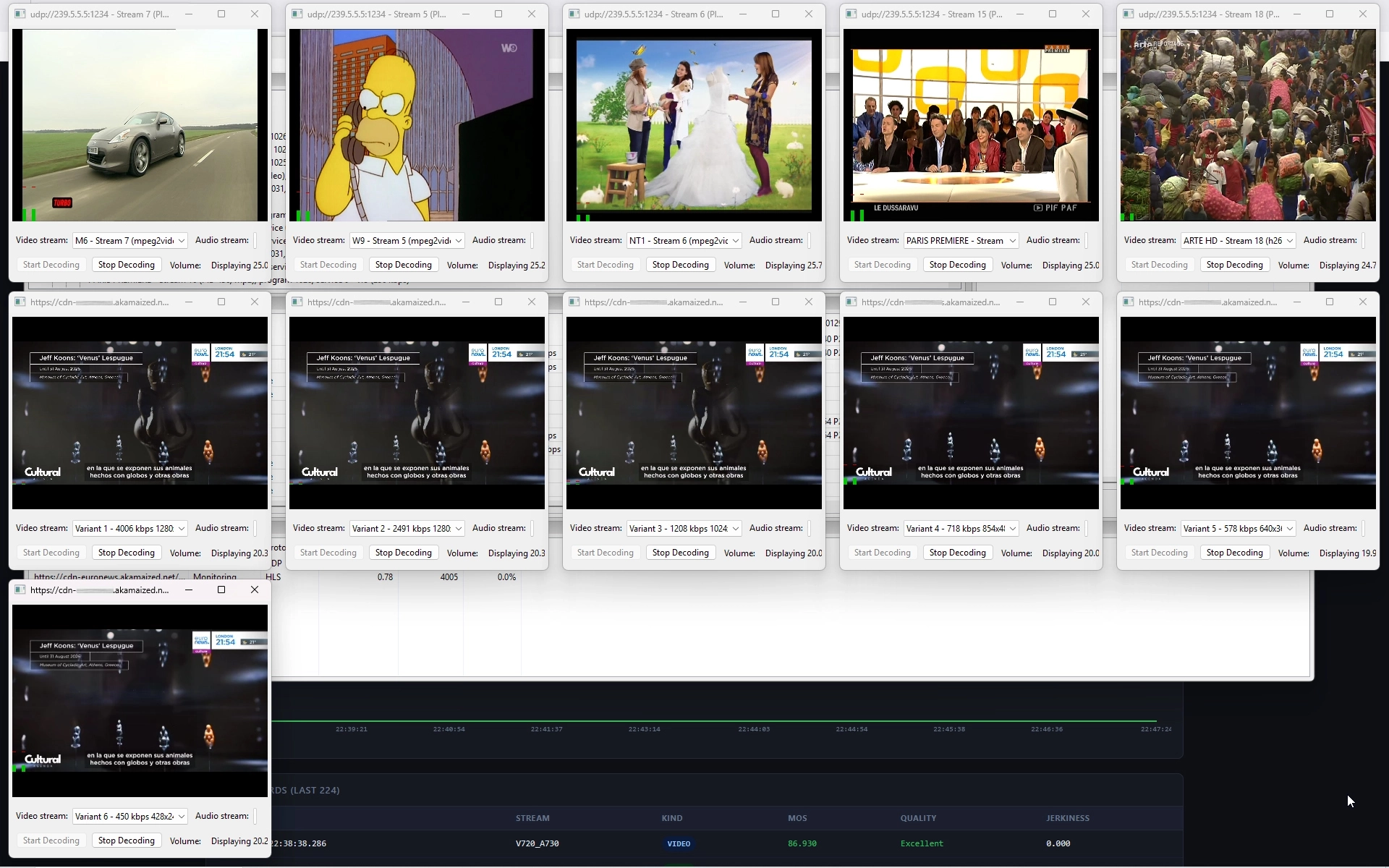
In just one click, StreamsMonitor starts decoding all your streams.
Any stream with associated (user-defined) monitoring parameters will be monitored and will trigger alerts if problems happen.
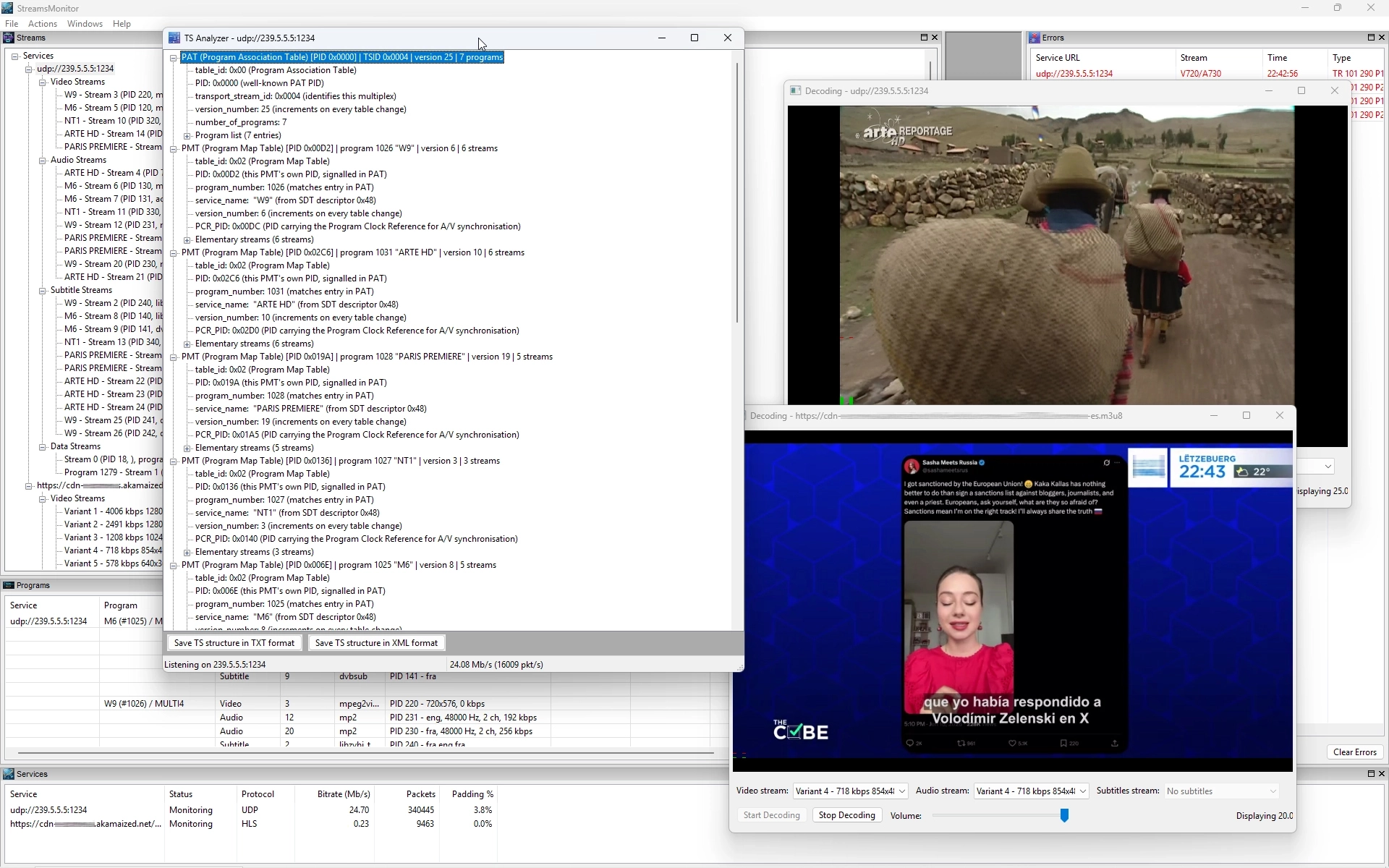
See Transport Streams tables in real time
StreamsMonitor enables you to check the content Transport Streams table in real time.
See the tables like:
- PAT (Program Association Table)
- PMT (Program Map Table)
- CAT (Conditional Access Table)
- NIT (Network Information Table)
- SDT (Service Description Table)
- BAT (Bouquest Association Table)
- TDT (Time and Date Table)
- TOT (Time Offset Table)
Reporting
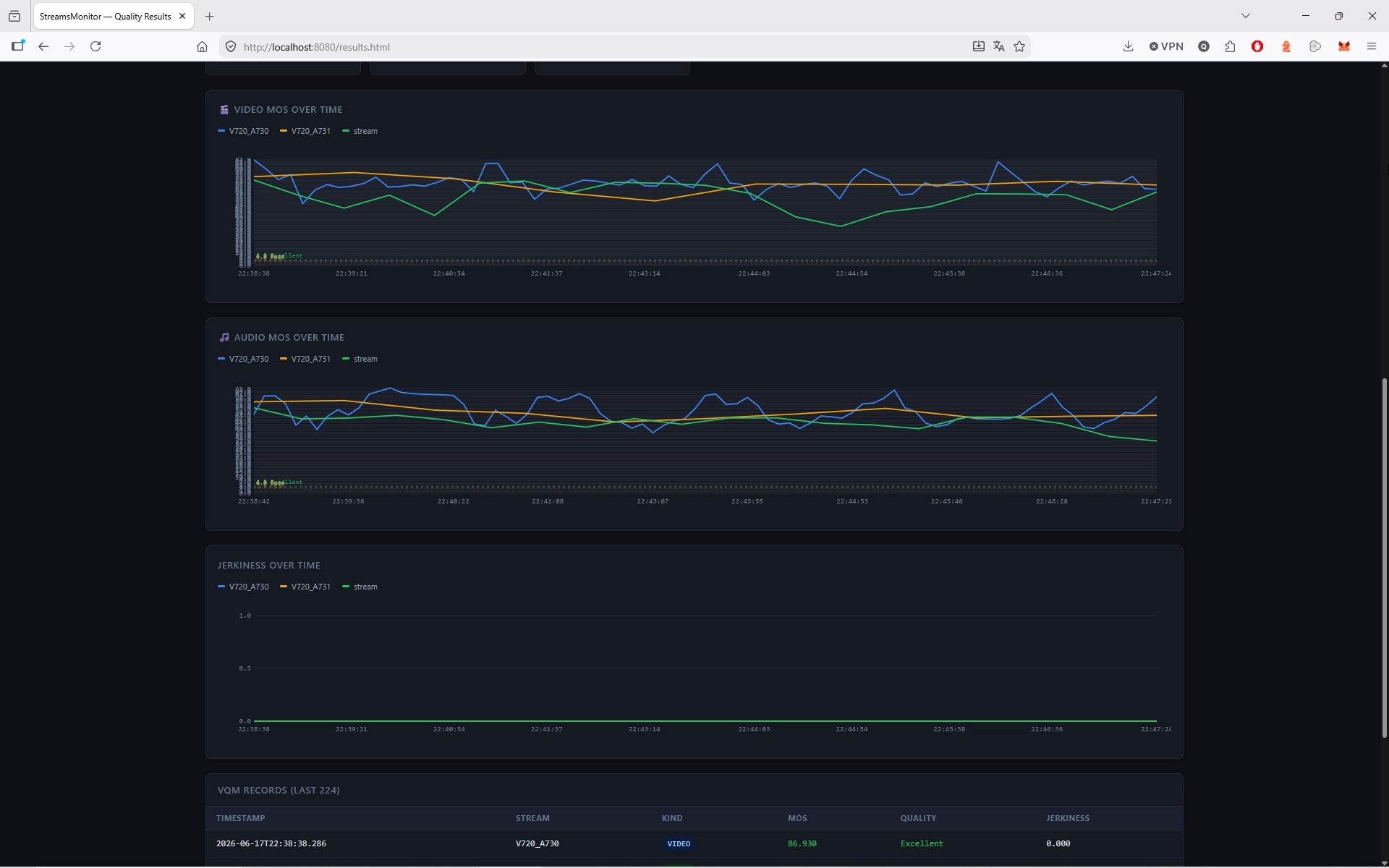
StreamsMonitor saves all the measured data. Have you received an alert by email, SNMP or Teams ? You can check what happened using the integrated web server!
Indeed, StreamsMonitor runs its own web server to provide you with statistics and curves about all the measured data!
The web interface enables you to get values and curves between two user-chosen dates and times.
Browse quality curves, loudness curves, TR 101 290 errors, ... all in one interface in your web browser.
Conclusion
StreamsMonitor enables you to monitor your audio/video/subtitles/data streams in real time using various KPIs: video quality, audio quality, loudness, TR 101 290, SCTE-35, audio/video signal loss and more...
Play them in parallel on the same machine. View the Transport Streams' structure in real time.
Receive alerts (by email, SNMP or Teams) when problems happen.
Get reports between 2 user dates and times!
Evaluate StreamsMonitor now!