MultiView
View and monitor video streams, audio streams and/or subtitles streams.
Detect and measure their perceived video quality, perceived audio quality, signal presence, loudness, TR101290 errors, SCTE-35 markers, Inter-Packet Arrival Times (IPAT) and more...
More powerful than our competitors. Cheaper than our competitors.
Available for both Windows and Linux. On a single machine or distributed over several machines.


MultiView is the powerful solution you need to view and monitor your video streams, audio streams and/or subtitles streams.
MultiView is used through your web browser.
MultiView can be used on a single machine or distributed on several machines (to monitor LOTS of streams).
MultiView detects, measures and monitors:
- perceived video quality, without reference
- perceived audio quality, without reference
- blockiness (sometimes called "blocking effect"), blur (sometimes called "blurring"), contrast, jerkiness (sometimes called "image freezing")
- black frames, red frames, green frames, blue frames
- video signal loss, audio signal loss
- incorrect frames rates
- silences, saturations, video bitrate, audio bitrate
- audio loudness according to recommendations ITU BS 1770-2 and EBU R128 (as required by the CALM: Commercial Advertisement Loudness Mitigation Act)
- TR 101290 errors on transport streams
- SCTE-35 markers
- Inter-Packet Arrival Times (IPAT)
MultiView can process IP streaming in UDP, RTP and HLS.
MultiView supports both SPTS (Single Program Transport Stream) and MPTS (Multi Program Transport Stream).
Functioning
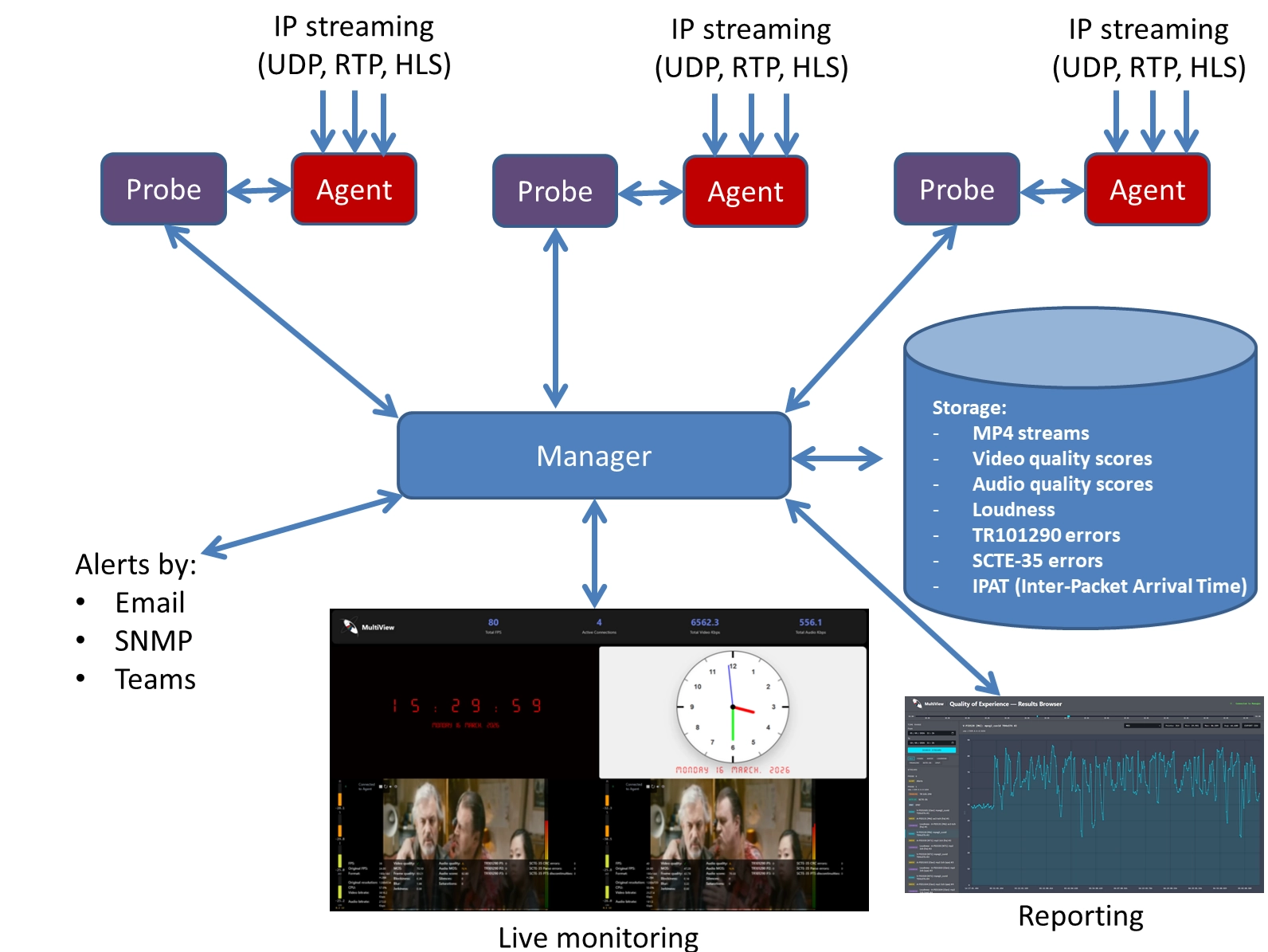
MultiView is a set of 3 components:
- the Manager: that's the component you will connect to, with your web browser
- one or several Probe(s): a Probe is responsible of managing you stream
- one Agent for each Probe: in order to make sure that no decoder crash is going to interrupt the monitoring, each Probe delegates the decoding to its Agent. If something crashes, it is the Agent, not the Probe. And in this case, the Probe will automatically restart the Agent.
Here is the architecture of MultiView with 3 Probes (and so, 3 Agents):
Viewing your streams
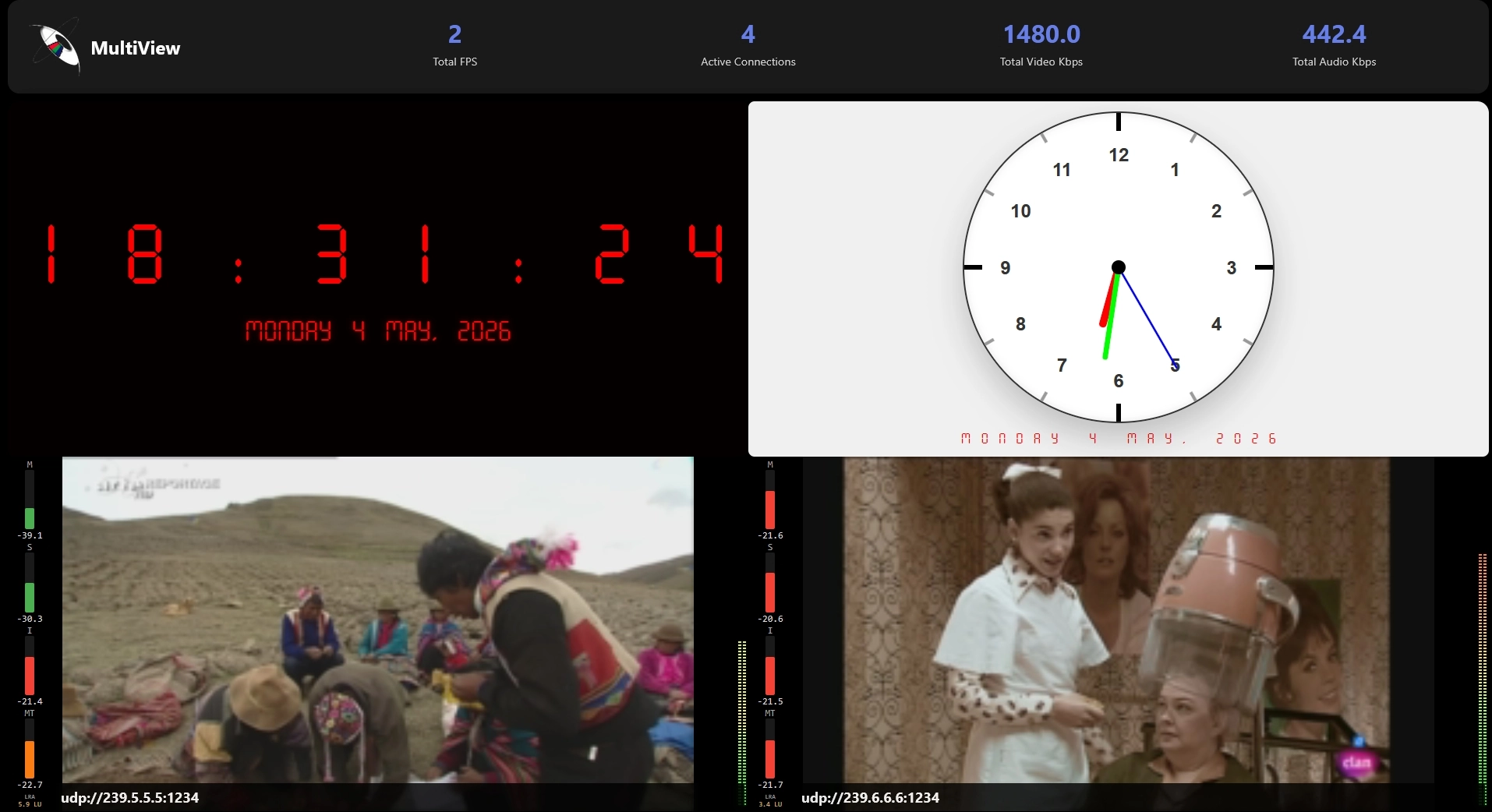
For each preview window, you can choose the video stream, audio stream and/or subtitles stream to monitor.
In each preview window, you can receive a rescaled version of your video and audio streams (with or without subtitles), in fragmented MP4 format enabling you to VIEW and LISTEN to your programs in real time.
You can also decide to receive rescaled images only in order to avoid re-encoding the streams.
You can also choose to decode only I-frames.
You can even specify a time interval between 2 frames (for example: "I want to decode only 1 frame every 2 seconds") in order to have a minimal CPU usage.
Your streams in a mosaic or in a list view
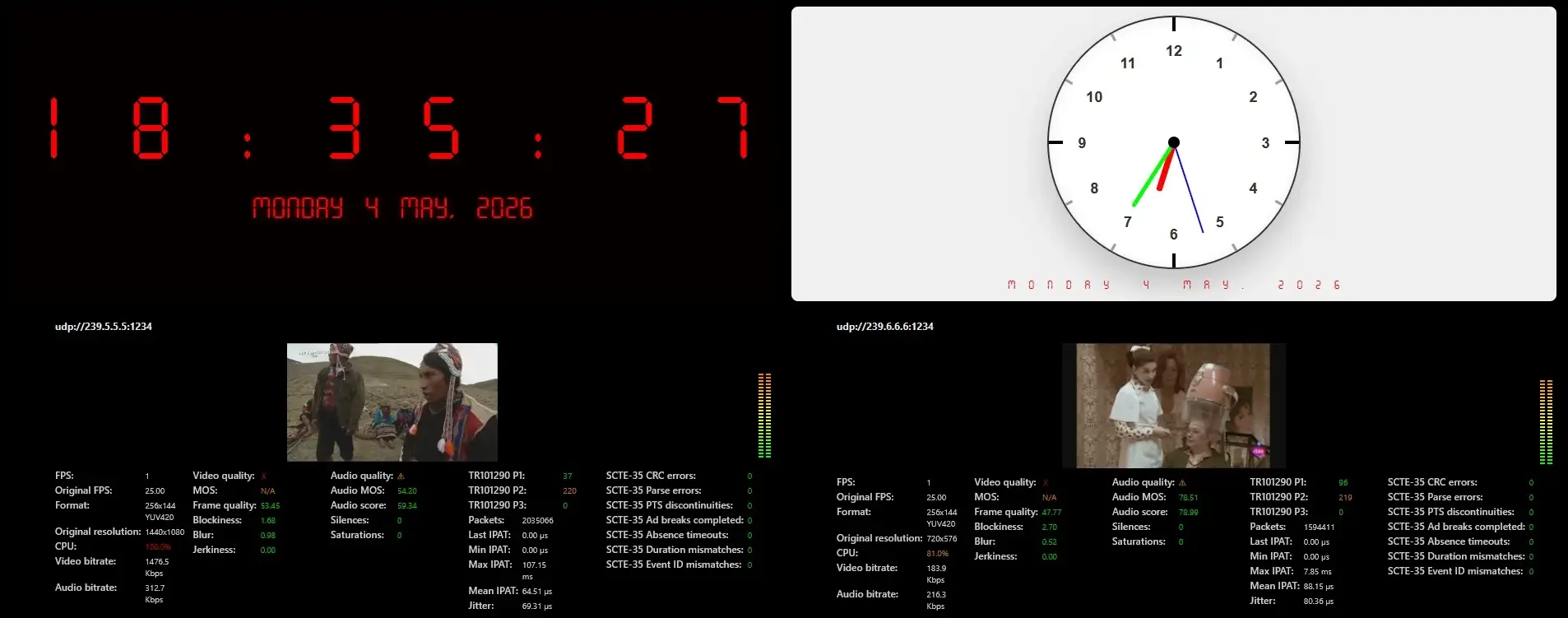
MultiView enables to see and hear your streams:
- in a mosaic view
- in a list view
The mosaic view offers several variants, each one offering a different amount of information: normal, compact and minimal.
Monitoring
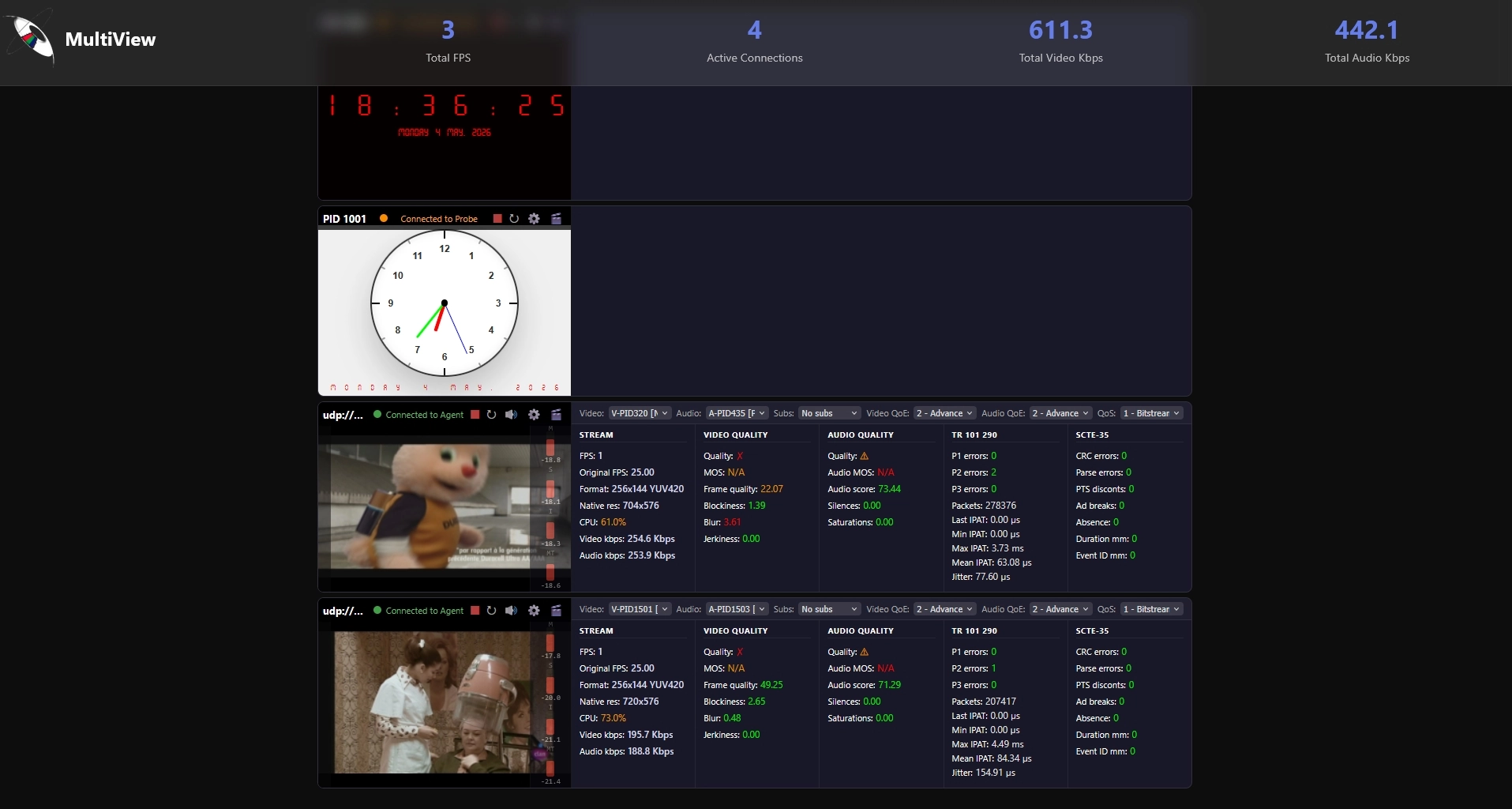
MultiView detects and measures:
- perceived video quality, without reference
- perceived audio quality, without reference
- blockiness (sometimes called "blocking effect"), blur (sometimes called "blurring"), contrast, jerkiness (sometimes called "image freezing")
- black frames, red frames, green frames, blue frames
- video signal loss, audio signal loss
- incorrect frames rates
- silences, saturations, video bitrate, audio bitrate
- audio loudness according to recommendations ITU BS 1770-2 and EBU R128 (as required by the CALM: Commercial Advertisement Loudness Mitigation Act)
- TR 101290 errors on transport streams
- SCTE-35 markers
- Inter-Packet Arrival Times (IPAT)
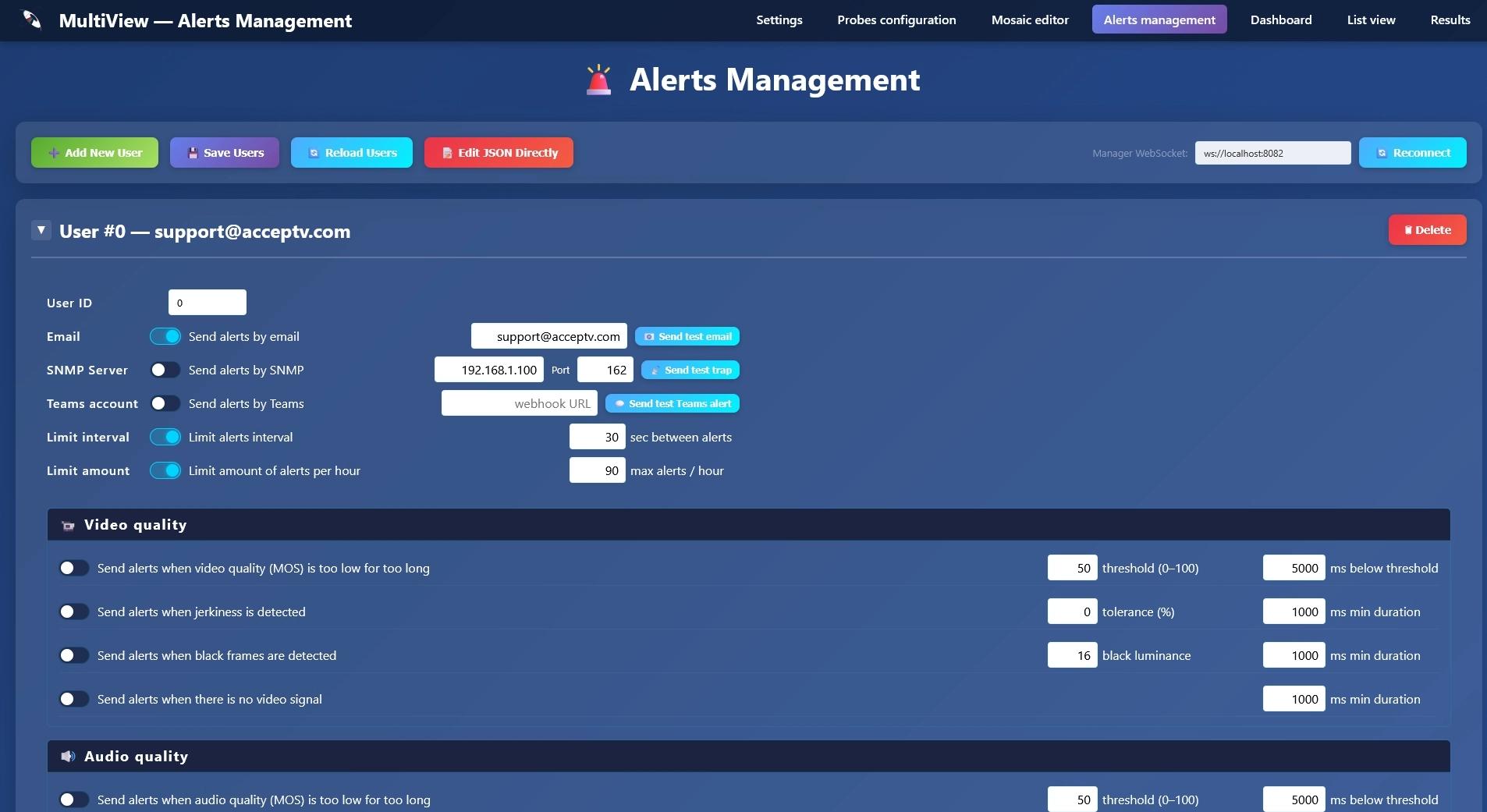
Alerts
MultiView can send you alerts when problems happen.
These alerts can be sent:
- via email
- via SNMP
- via Teams
Reports
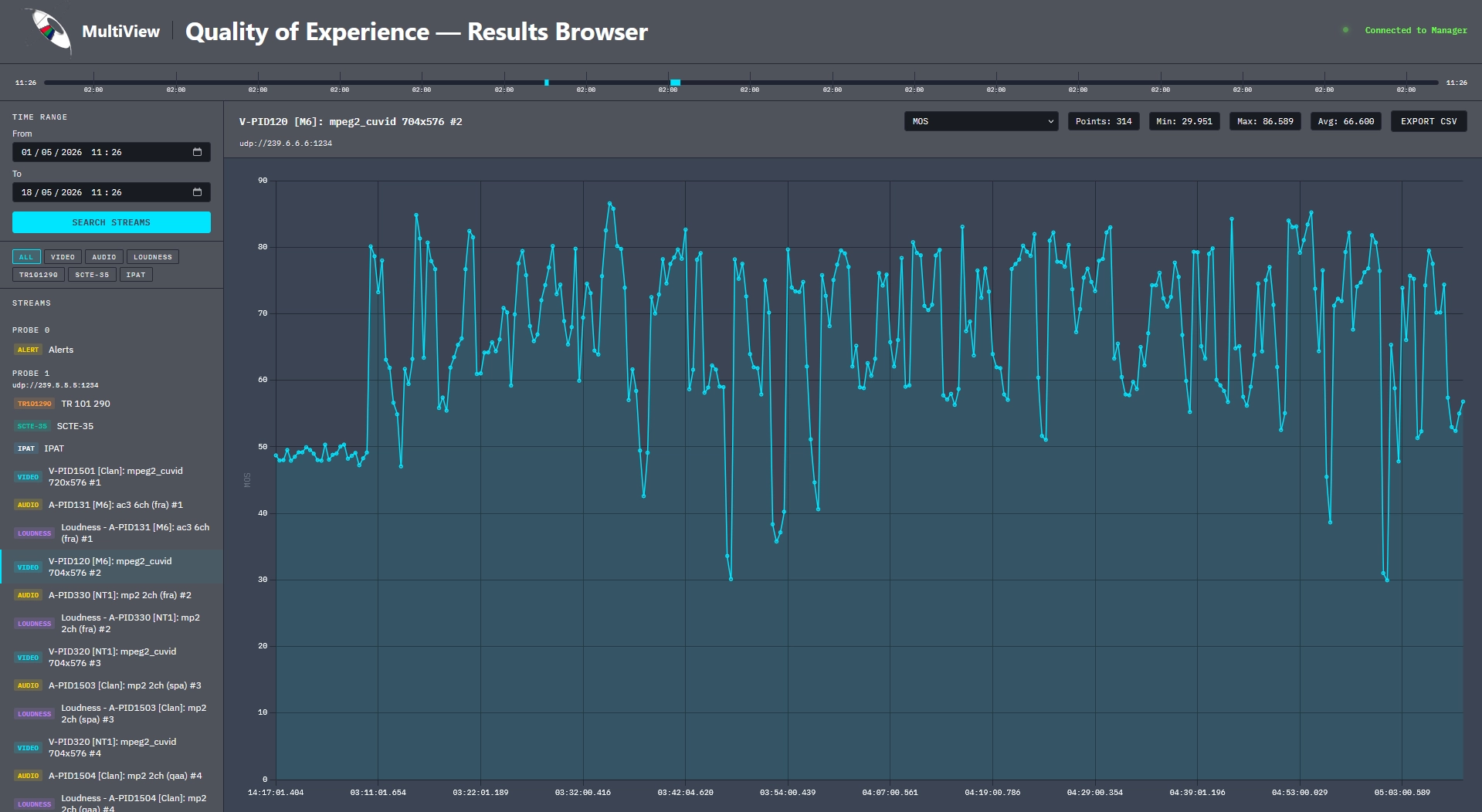
All measures are saved on disk and can be retrieved to get curves, statistics and values.
Measures can also be exported to CSV files.
Conclusion
MultiView brings together stream viewing, quality monitoring, alerting, and reporting in a single, browser-based platform which is deployable on one machine or scaled across an entire infrastructure. Whether you manage two channels or two hundred, MultiView gives you the visibility to catch problems before your audience does.
No other solution on the market combines perceived video and audio quality analysis, loudness measurement (EBU R128 / ITU BS 1770-2), TR101290 error detection, SCTE-35 marker tracking, and Inter Packet Arrival Time monitoring in one unified tool at a price that competes with anything available today, on both Windows and Linux.
MultiView's resilient architecture means a decoder crash never interrupts your monitoring. Its built-in alerting keeps your team informed via email, SNMP, or Teams the moment a threshold is crossed. And with all measurements saved to disk and exportable to CSV, you always have the data you need to demonstrate quality, diagnose incidents, and report to stakeholders.
MultiView is not just a monitoring tool, it is peace of mind for broadcast professionals. Request your free evaluation today and see for yourself why MultiView is better than its competitors.